

A high-performing website is the foundation of digital success. It’s not just about how your site looks—it’s about how it works, how fast it loads, how easily users navigate it, and how effectively it converts visitors into customers.
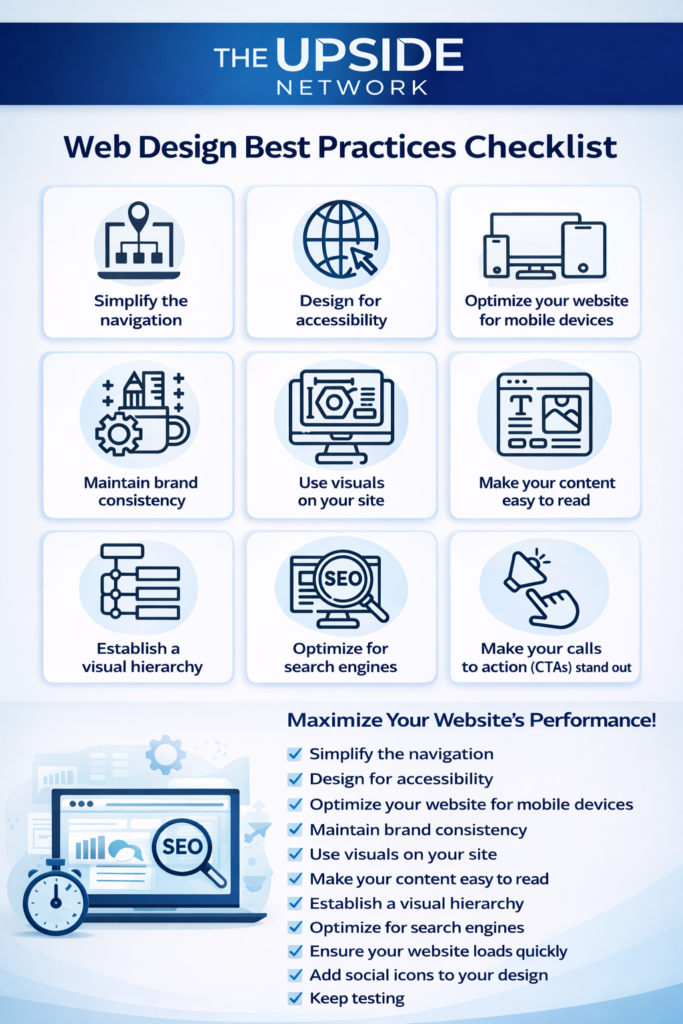
At The Upside Network, we follow a proven web design best practices checklist to ensure every website we build is user-friendly, SEO-optimised, and conversion-focused. Below, we break down the essential principles every business website should follow.
30-days Money Back Guarantee
1. Simplify the Navigation
Clear and intuitive navigation helps users find what they’re looking for quickly. A cluttered menu frustrates visitors and increases bounce rates.
Best practice:
- Limit main menu items
- Use clear labels
- Ensure logical page hierarchy
Simple navigation improves user experience and supports better SEO performance.
2. Design for Accessibility
An accessible website ensures that all users—including those with disabilities—can interact with your content effectively.
Accessibility essentials include:
- Readable fonts and strong colour contrast
- Alt text for images
- Keyboard-friendly navigation
Accessible design is not only inclusive—it also improves usability and search engine visibility.
3. Optimise Your Website for Mobile Devices
With mobile traffic dominating the web, mobile-first design is no longer optional.
Mobile optimisation includes:
- Responsive layouts
- Touch-friendly buttons
- Fast mobile load times
Google prioritises mobile-friendly websites, making this critical for rankings and user retention.

4. Maintain Brand Consistency
Consistent branding builds trust and credibility. Your website should reflect your brand identity across every page.
Ensure consistency in:
- Colours and typography
- Logo usage
- Tone of voice
Strong branding improves recognition and keeps users engaged longer.
5. Use Visuals Strategically
High-quality visuals enhance storytelling and improve engagement—but only when used correctly.
Best practices for visuals:
- Use optimised images to avoid slow load times
- Support content with icons, illustrations, and graphics
- Avoid visual clutter
Well-placed visuals improve comprehension and conversion rates.
6. Make Your Content Easy to Read
Readable content keeps users on your site longer and improves SEO performance.
Improve readability by:
- Using short paragraphs and bullet points
- Adding clear headings and subheadings
- Writing in a simple, conversational tone
Clear content encourages action and supports lead generation.
7. Establish a Strong Visual Hierarchy
Visual hierarchy guides users’ attention to the most important elements on the page.
Key elements to highlight:
- Headlines
- Calls to action (CTAs)
- Key benefits or offers
This ensures users follow a natural flow through your content.
8. Optimise for Search Engines (SEO)
SEO should be built into your web design from day one—not added later.
SEO best practices include:
- Optimised meta titles and descriptions
- Keyword-rich content
- Clean URL structures
- Fast page speed
SEO-optimised websites attract consistent organic traffic and long-term growth.
9. Make Your Calls to Action (CTAs) Stand Out
Your CTAs should be impossible to miss and easy to understand.
Effective CTAs are:
- Action-oriented (“Get Started”, “Request a Quote”)
- Visually distinct
- Placed strategically throughout the site
Strong CTAs drive conversions and measurable results.
10. Ensure Your Website Loads Quickly
Website speed directly impacts user experience, SEO, and conversions.
Improve load times by:
- Compressing images
- Minimising scripts and plugins
- Using reliable hosting
Even a one-second delay can significantly reduce conversions.

11. Add Social Icons to Your Design
Social proof builds trust and credibility.
Social icons help:
- Connect users with your brand across platforms
- Increase engagement and brand awareness
- Strengthen your digital ecosystem
Ensure icons are visible but not distracting.
12. Keep Testing and Improving
A high-performing website is never “finished.”
Ongoing optimisation includes:
- A/B testing
- Performance tracking
- UX improvements based on analytics
Continuous testing ensures your website evolves with user behaviour and business goals.

Following this web design best practices checklist ensures your website is fast, user-friendly, mobile-optimised, and SEO-ready.
At The Upside Network, we design websites that perform, convert, and scale with your business.
If you’re ready to build or upgrade a high-performing website, we’re here to help you unlock the upside